API Overview
Modules are enabled by the platform administration. Your tenant administration can manage its users’ permissions and discuss a required module with support; the tenant admin role alone does not allow module activation.
In addition to the Claude integration, StoryVault offers a REST API for programmatic access. This lets you integrate sessions, transcripts, and projects into your own systems — for example an intranet, a quality management system, or a reporting solution.
An API key is valid only for the user and tenant it was created for. It does not grant access to other tenants or extend permissions. Access to another tenant requires active membership there, the appropriate permissions and a key created for that tenant. The API module and the user’s API capability are required.
The complete API reference with all endpoints, parameters, and examples is accessible after logging in via the API Documentation menu item.
Authentication
Section titled “Authentication”Every API request requires an API key. The key is sent as a Bearer token in the header:
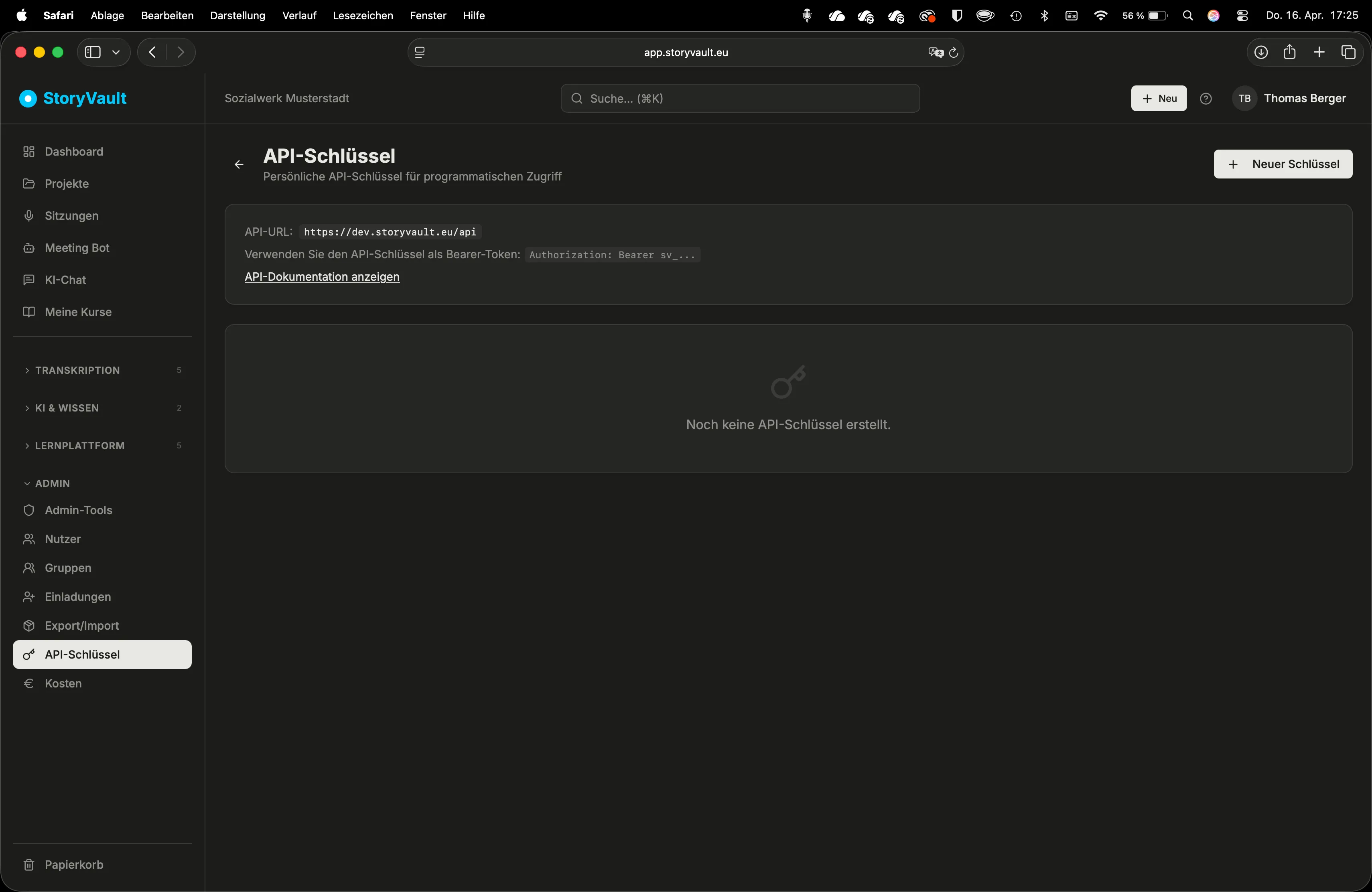
Authorization: Bearer sv_YOUR_KEY_HERECreate API keys under API Keys. An admin must first assign you the API capability.
-
Create an API key
API Keys → “Create New Key”.
-
Enter a name and optional expiry date
Use a descriptive name, e.g. “Intranet Integration” or “Reporting System”.
-
Copy the key
The key is shown only once. Store it securely.
Available Endpoints
Section titled “Available Endpoints”The API provides access to the main StoryVault resources:
| Area | Endpoints | Description |
|---|---|---|
| Sessions | List, Details, Search | Sessions with status, metadata, and summary |
| Transcripts | Read, Download | Complete transcripts with speaker attribution |
| Projects | List, Details | Projects with associated sessions |
| AI Chat | List chats, read messages | Chat conversations and their history |
| API Keys | Create, List, Revoke | Managing your own API keys |
Rate Limiting
Section titled “Rate Limiting”To ensure stable operation for all users, the following limits apply:
| Limit | Value |
|---|---|
| Requests per minute per key | 60 |
| Behavior when exceeded | HTTP 429 (Too Many Requests) |
When you reach the limit, wait briefly and try again. The Retry-After header in the response indicates how long to wait.
Access Control
Section titled “Access Control”The API key is tied to a user and an organization. Access rights correspond to the user’s role:
- Admins can manage ordinary projects in their tenant; protected projects, private chats and data protection permissions have additional rules.
- Other roles gain content access through project ownership, direct membership or groups. Sessions inherit project access.
- The relevant module and action permission must also be enabled. An API key does not expand these permissions.
- Existing keys stop working immediately when the API capability or membership is revoked
Error Responses
Section titled “Error Responses”The API responds with standard HTTP status codes:
| Code | Meaning |
|---|---|
| 200 | Success |
| 400 | Invalid request (missing or incorrect parameters) |
| 401 | Not authenticated (missing or invalid key) |
| 403 | No permission for this resource |
| 404 | Resource not found |
| 429 | Rate limit reached |
| 500 | Server error |
Practical Examples
Section titled “Practical Examples”Automatic transcript export: An organization automatically exports the transcript to their document management system after each meeting. A script regularly polls for new sessions and downloads the transcripts.
Reporting dashboard: Management integrates StoryVault data into an existing report: number of sessions per month, most common topics, AI usage statistics.
QM software integration: Quality circle minutes are automatically transferred to the QM system. Summaries and action items are immediately available in the existing documentation.
API Documentation
Section titled “API Documentation”The full developer documentation with endpoints, parameters, request/response formats, and code examples is accessible after logging in via the API Documentation menu item.
Further Reading
Section titled “Further Reading”This page describes the REST API for programmatic access to StoryVault.