My Progress
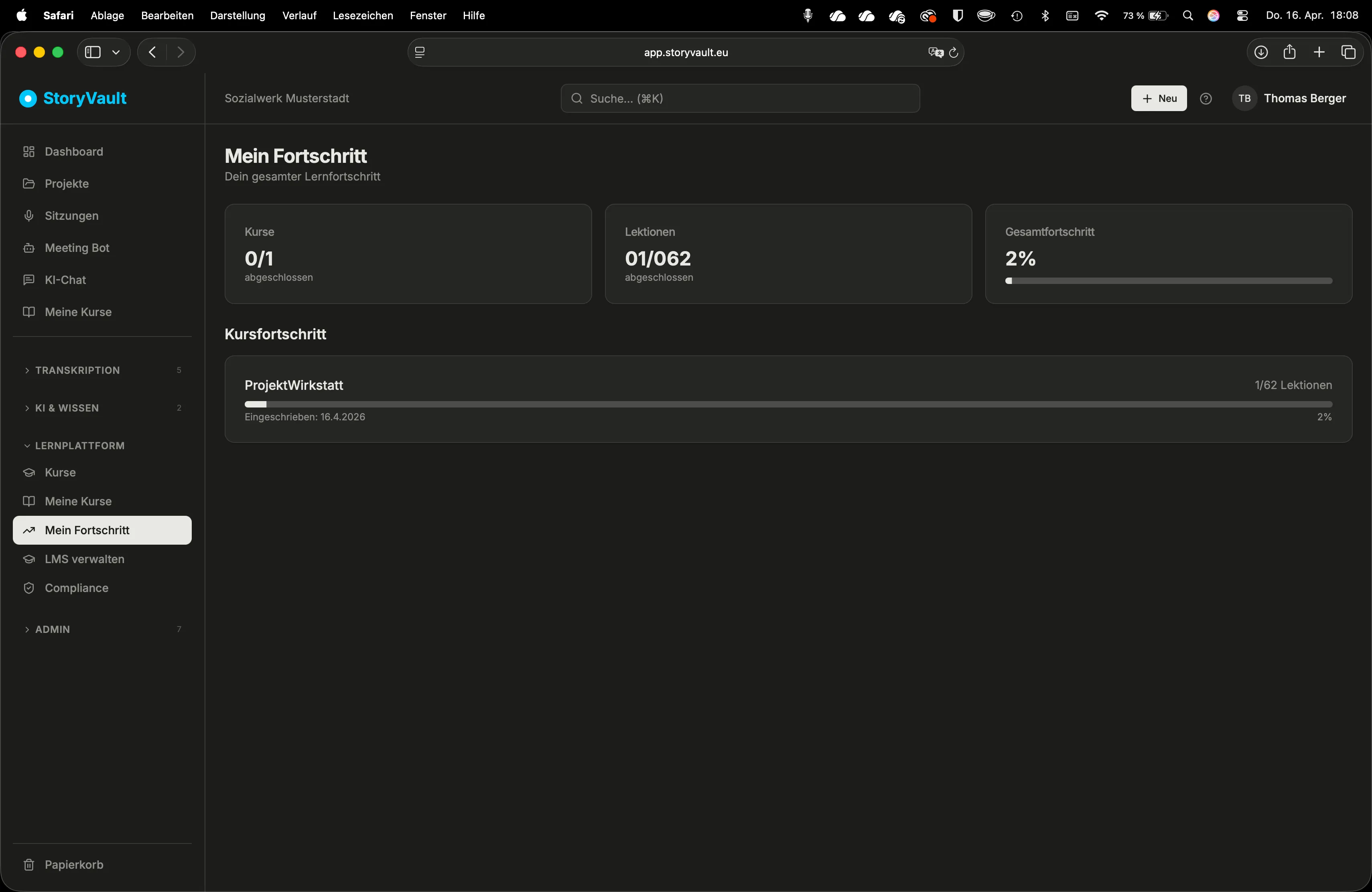
StoryVault shows you at any time where you stand in your courses — which lessons are completed, which are still open, and which mandatory courses have a deadline.
Progress Overview
Section titled “Progress Overview”Navigate to My Progress via the sidebar. Here you can see:
- All courses you are enrolled in
- The progress bar per course (e.g., “5 of 12 lessons”)
- For mandatory courses: the deadline and current status
Dashboard Widget
Section titled “Dashboard Widget”The dashboard has a “My Courses” widget that summarizes your progress. This way, right after logging in, you can see where you can continue.
Mandatory Courses and Deadlines
Section titled “Mandatory Courses and Deadlines”Mandatory courses are assigned by your organization. You recognize them by the mandatory marking and the deadline. StoryVault automatically sends you reminders:
| When | What happens |
|---|---|
| Upon assignment | You receive an email with the course name and deadline |
| 3 days before deadline | Reminder email, if the course is not yet completed |
| After expiry | Notification that the deadline has been exceeded |
Course Completion
Section titled “Course Completion”When you have completed all lessons in a course (including all knowledge checks), the course is marked as completed. You receive a confirmation email.
Module Review
Section titled “Module Review”When you have completed all lessons in a module, an optional Module Review becomes available.
-
Start the review
On the course page, completed modules show a “Start Module Review” button.
-
Answer questions
You receive 5 to 7 randomly selected questions from all lessons in the module. This is a voluntary self-test without scoring.
-
View results
After completion, you’ll see which questions you were confident about and where gaps remain.
The review is not mandatory and does not block any progress. It serves solely to actively recall learned content after some time — a proven principle from learning research.
Further Reading
Section titled “Further Reading”This page corresponds to the onboarding video “Module 5, Lesson 5.3 — My Progress and Module Review”.