Edit a diagram
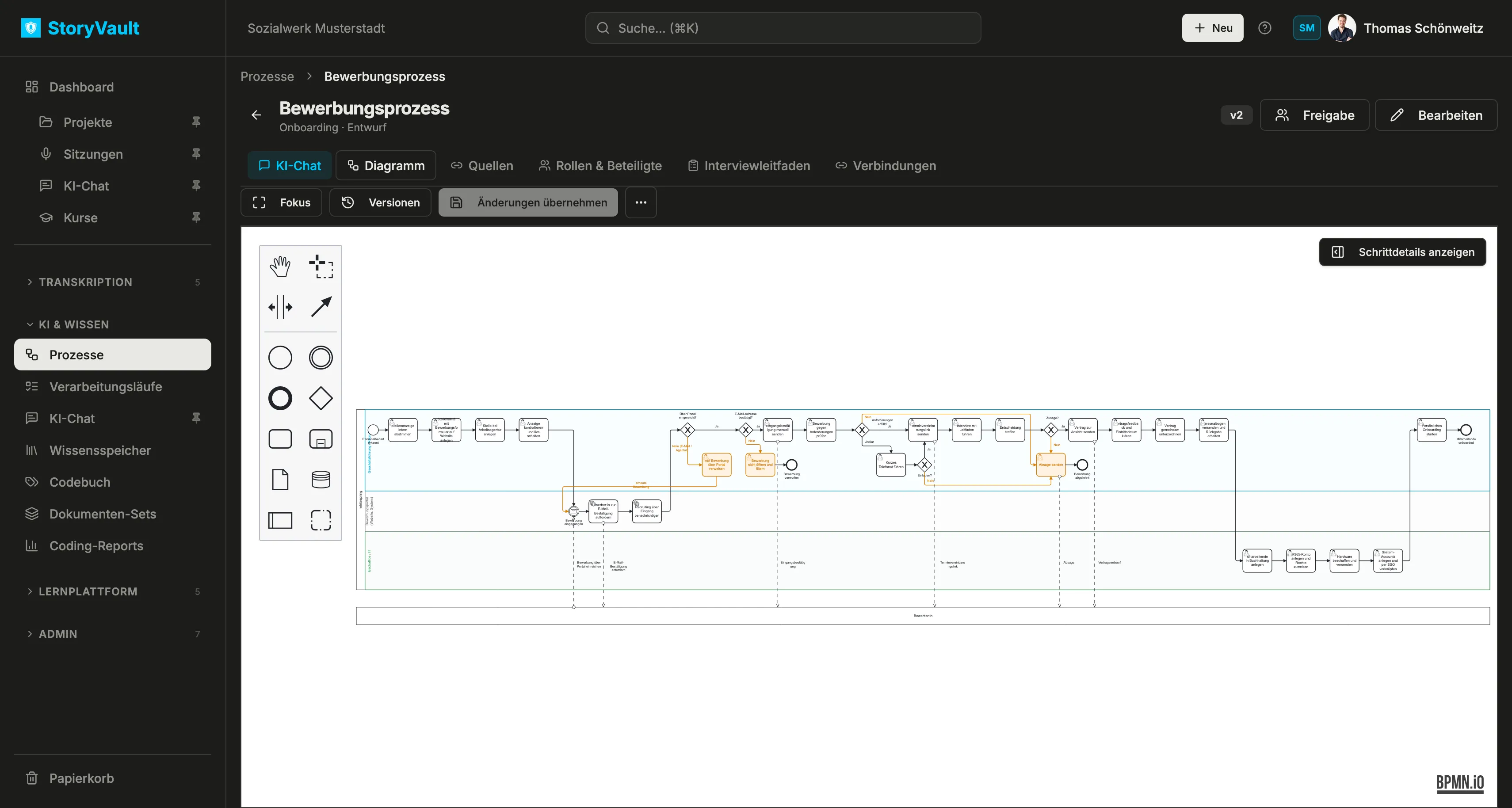
The Diagramm tab shows the BPMN workflow. The example application process covers the job posting, application intake, selection decision, and onboarding. Lanes show where participants take responsibility.
Find your way around
Section titled “Find your way around”The palette on the left contains events, tasks, gateways, connections, pools, and other BPMN elements. Use the hand tool to pan. Fokus expands the workspace. Schrittdetails anzeigen opens a panel with additional information about the selected element. This panel is hidden initially to leave more room for the diagram.
Select a task, connection, or lane to inspect its details. Clear names and descriptions explain what happens at each step. A lane can show responsibility; roles and systems are maintained in their own tab.
Change the workflow
Section titled “Change the workflow”- Open Diagramm and select the element to edit. Drag a new element from the palette onto the canvas and connect it to the existing flow.
- Name tasks as concrete activities. A question at a gateway should match the labels on its outgoing paths.
- Check responsibilities and handoffs when adding lanes or connections. Add explanations in step details where needed.
- Select Änderungen übernehmen, enter a short reason, and save a new model version, which you can later compare.
Import or export BPMN
Section titled “Import or export BPMN”The … menu in the process contains Import and Export. Import replaces the diagram in the current unsaved draft. Recheck step assignments and evidence afterward; saved versions remain available. Export makes the model available in several formats. This lets you continue working on a diagram created in another BPMN tool without redrawing it.
For natural-language changes, see AI chat and interview guide.