Processes at a glance
The Processes module lets you document workflows as BPMN diagrams. A process can also contain linked sources, participants, an interview guide, and a history of versions.
The screenshots in this section show an imported application process in the Sozialwerk Musterstadt demo tenant. The imported diagram is sample content; it does not describe that organization’s actual procedures. The interface labels in the screenshots are German.
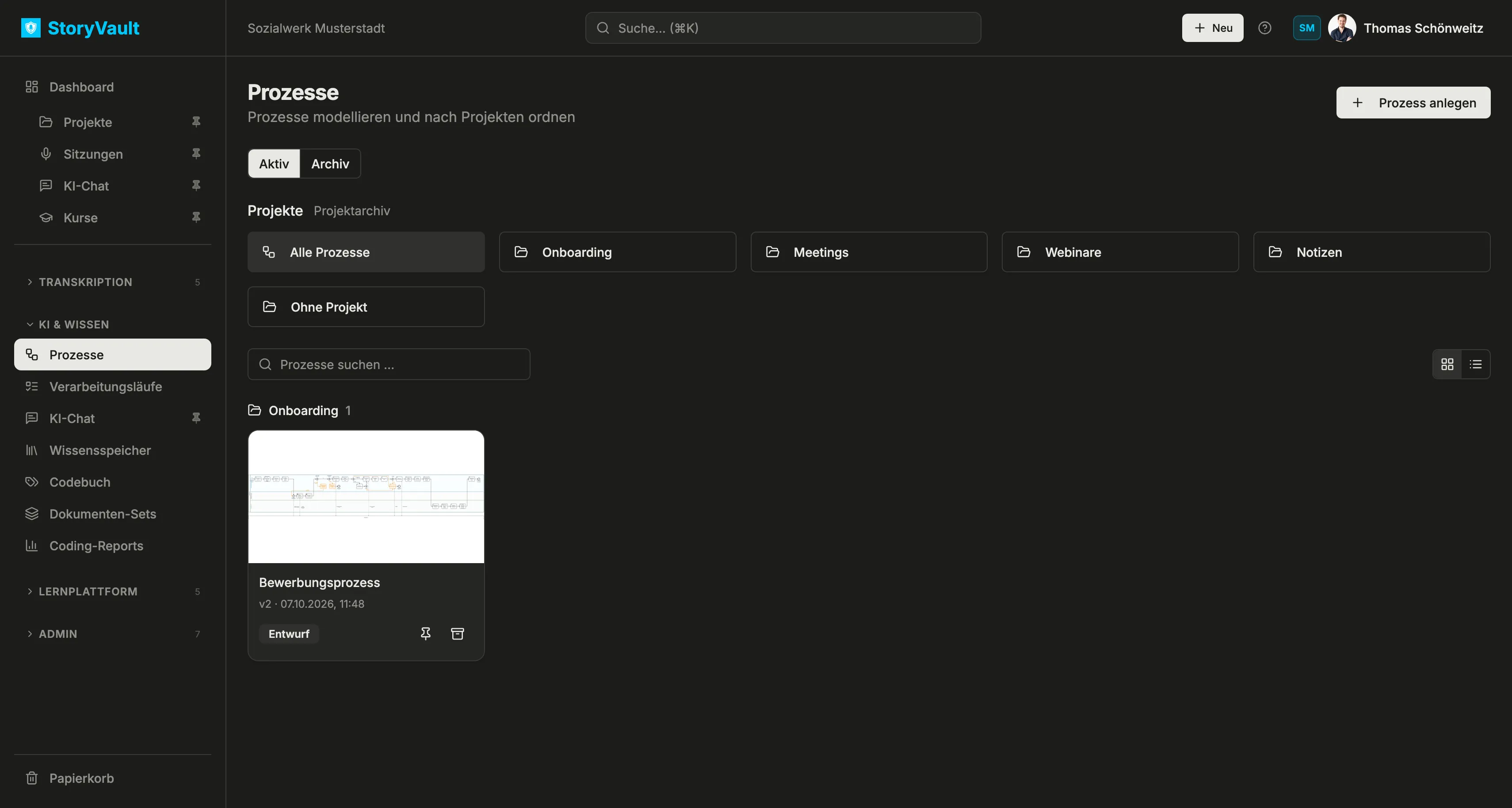
Use the process list
Section titled “Use the process list”Open KI & WISSEN → Prozesse in the sidebar. Projects appear above their processes. These are the same projects used for sessions: selecting Onboarding filters the list to that project, while Alle Prozesse shows everything and Ohne Projekt shows unassigned processes.
Use Prozesse suchen … to search by name. Switch between cards with diagram thumbnails and a list. In the list, click a column heading to sort; pin frequently used processes with the pin icon.
- Select Prozess anlegen and enter a title. You can start with a blank process and import a BPMN file later.
- Optionally assign an existing project. Project membership helps organize processes; access to an individual process is managed separately.
- Open the process. Its tabs are KI-Chat, Diagramm, Quellen, Rollen & Beteiligte, Interviewleitfaden, and Verbindungen.
Edit title, project, and status
Section titled “Edit title, project, and status”Use Bearbeiten in the process header to edit its title, project, status, purpose, and boundaries. A process may be marked Entwurf (draft), In Prüfung (in review), or Dokumentiert (documented). Creating a diagram does not automatically advance its status. Anwenden stages the edited details; select Änderungen übernehmen, enter a reason, and save a new version.
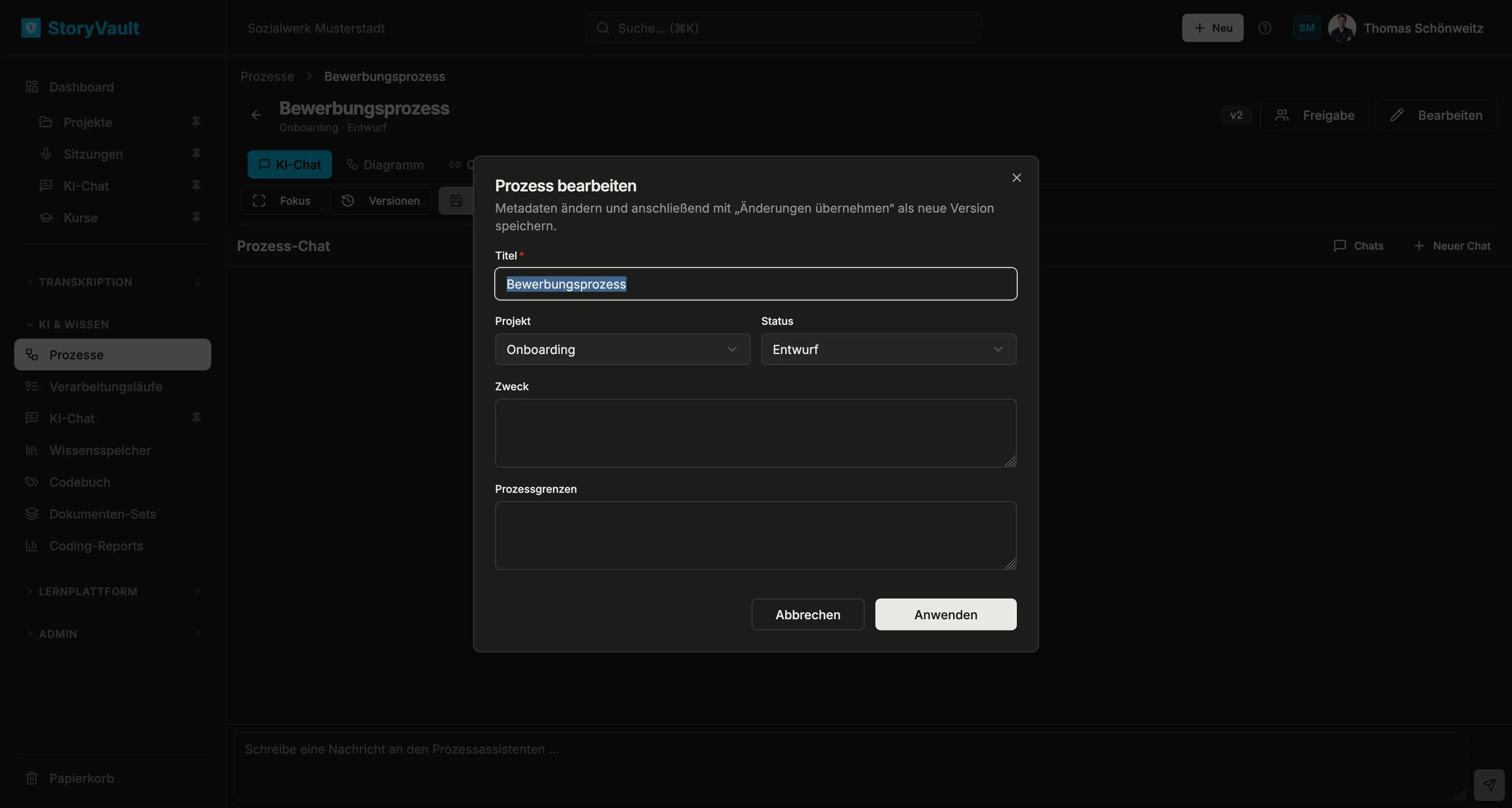
Archive a process
Section titled “Archive a process”Use the archive icon on a process card to move it to Archiv. The Aktiv and Archiv tabs keep current and archived processes separate; archived processes can be restored. Projektarchiv opens the archive for the shared projects.
Next: Edit a diagram.