Knowledge Store
The Knowledge Store is your searchable knowledge database in StoryVault. Instead of reading through individual transcripts, you consolidate relevant content in one store — and the AI searches everything at once.
What Is a Knowledge Store?
Section titled “What Is a Knowledge Store?”Think of a Knowledge Store as a thematic collection. A store can contain dozens or hundreds of sources: transcripts from sessions, your own texts, uploaded documents, or LMS lesson content. When you ask a question in the AI chat, the AI automatically searches all stored content and provides a well-founded answer.
Typical use cases in social services:
- QM Knowledge Care — all quality circle minutes, procedural instructions, and audit results
- New Employee Onboarding — service instructions, training materials, onboarding checklists
- Case Conferences in Disability Services — all case conferences from a department, accessible by question
- Management Meeting Archive — decisions and open items from two years of management meetings
Creating a Knowledge Store
Section titled “Creating a Knowledge Store”-
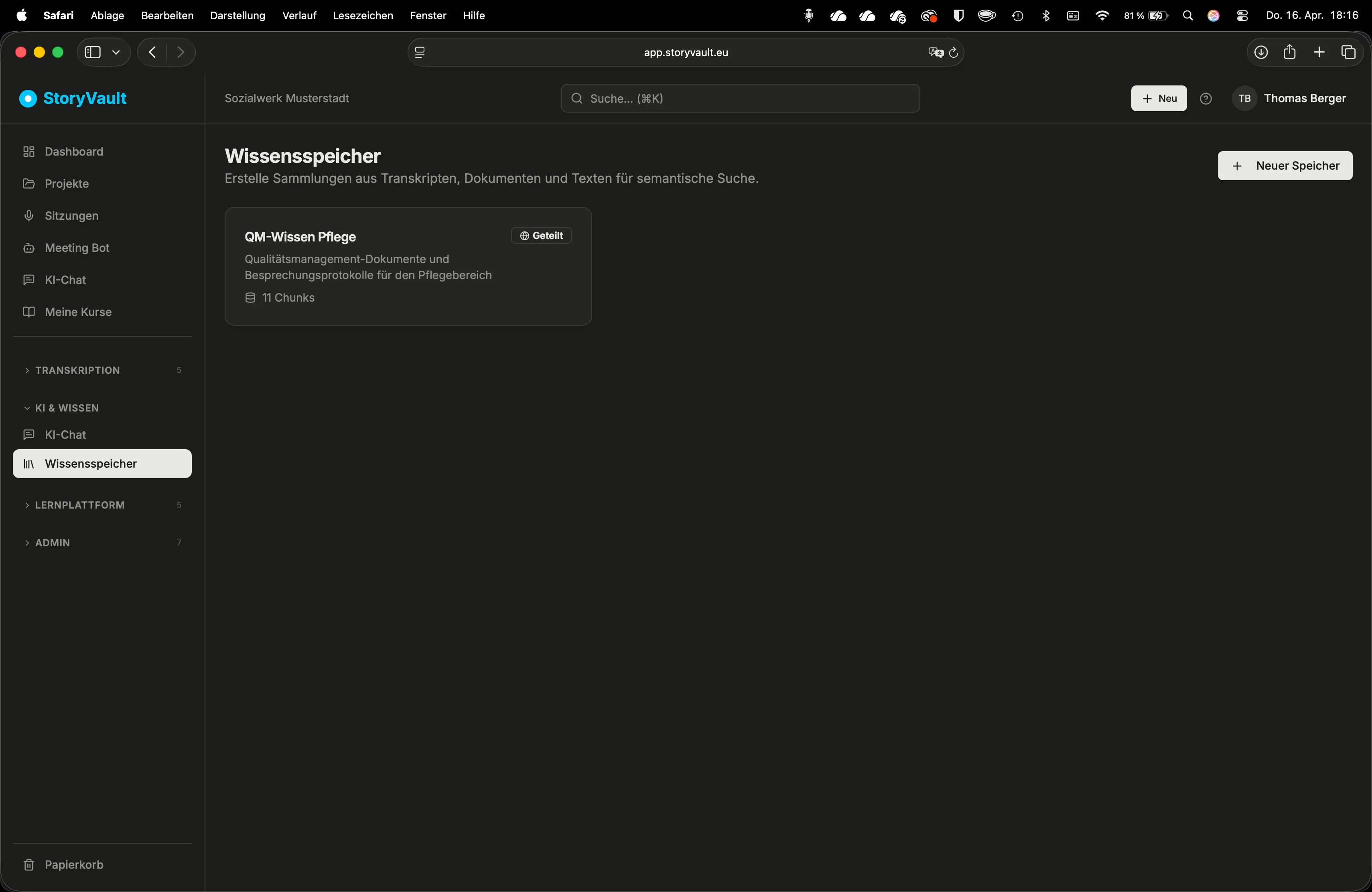
Open Knowledge Stores
Sidebar → Knowledge Stores.
-
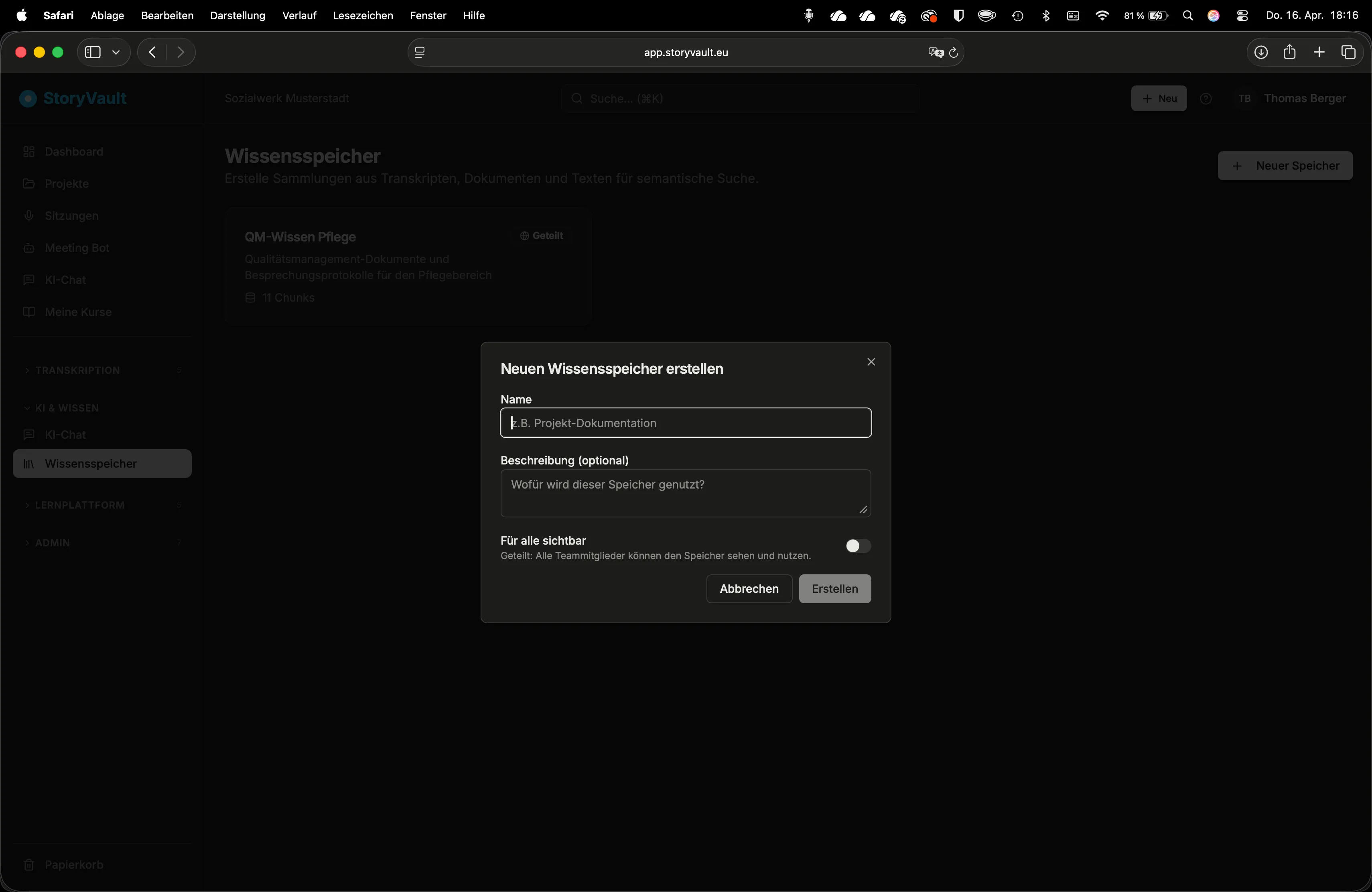
Create a new store
Click “New Knowledge Store”. Enter a name and description.
-
Choose visibility
- Private — only you have access
- Shared — all users in your organization can use the store in AI chat
-
Save
The store is created and ready for sources.
Managing Stores
Section titled “Managing Stores”In the Knowledge Store list, you see all existing stores with:
| Column | Description |
|---|---|
| Name | Title of the store |
| Description | Brief description of the content |
| Text Sections | Number of indexed sections (increases with each source) |
| Visibility | Private or Shared |
Click on a store to open the detail page. There you’ll see all added sources and their processing status.
How Does the Search Work?
Section titled “How Does the Search Work?”In the background, StoryVault breaks every text into short sections and prepares them for semantic search. When you later ask a question, the most relevant sections from all sources are assembled and passed to the AI as context. This works reliably even when your question uses different words than the original text.
Further Reading
Section titled “Further Reading”This page corresponds to the onboarding video “Module 8, Lesson 8.1 — What Is the Knowledge Store?”