Project Chat
The project chat analyzes the project sessions you can access. Instead of analyzing individual meetings, you recognize patterns, developments, and recurring themes over weeks and months.
Difference from Session Chat
Section titled “Difference from Session Chat”| Session Chat | Project Chat | |
|---|---|---|
| Context | Transcript of an accessible session | Summaries of accessible sessions in the project |
| Strength | Detailed questions about one conversation | Overview and patterns across many conversations |
| Typical question | “What was said about topic X?” | “How has topic X developed over recent months?” |
How It Works
Section titled “How It Works”-
Open a project
Sidebar → Projects, then click on the desired project.
-
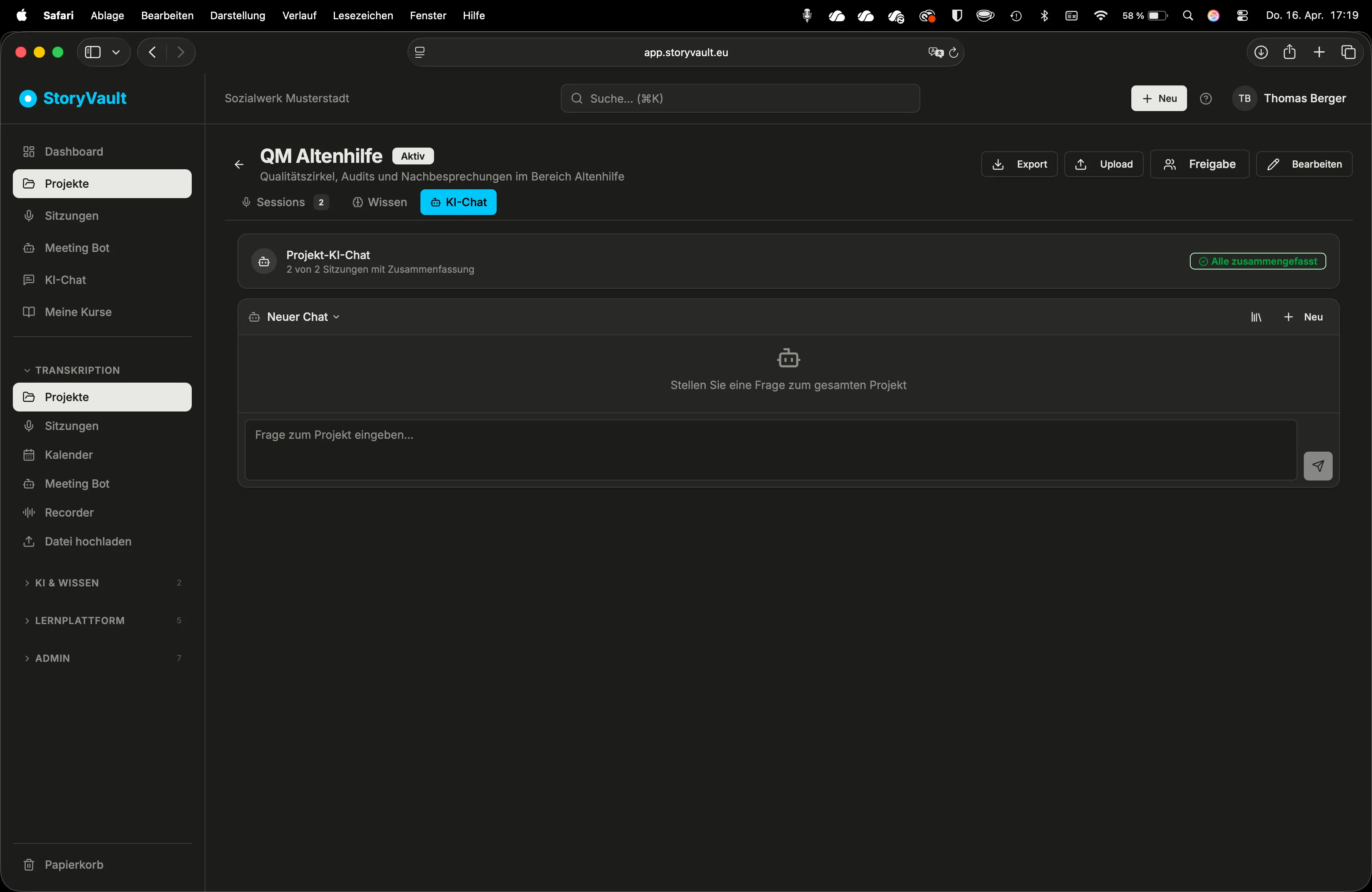
Open the AI Chat tab
On the project detail page, find the “AI Chat” tab.
-
Ask a question
Formulate a question that relates to multiple sessions. The AI uses the available summaries of project sessions you can access.
-
Evaluate the result
The answer refers to content from different sessions. Ask follow-up questions to dig deeper.
Practical Examples
Section titled “Practical Examples”Questions that work particularly well:
| Question | Value |
|---|---|
| “What topics were recurring in recent sessions?” | Identify persistent issues |
| “How has the staffing situation developed across sessions?” | Track developments |
| “What open items were mentioned multiple times without being resolved?” | Identify blockages |
| “Summarize the most important decisions from the last four sessions.” | Decision overview |
| “Are there contradictory statements between sessions?” | Uncover inconsistencies |
Further scenarios:
- Care QM Circle: “What improvement measures were decided and which of them appear as implemented in later sessions?” — The AI compares across all sessions.
- Youth Services Case Conferences: “Which families were discussed in more than one session?” — The AI recognizes recurring cases.
- Disability Support Project Group: “Summarize the project progress based on the last five sessions.” — The AI creates a chronological overview.
Important to Know
Section titled “Important to Know”- Summaries, not transcripts: The project chat uses the AI-generated summaries of individual sessions. For detailed questions about specific wording, use the Session Chat.
- Number of sessions: The more sessions a project contains, the more meaningful the results.
- Mix session types: You can have different session types in the same project. The project chat analyzes all of them equally.
- Conversation history: The project chat also remembers the previous conversation. Follow-up questions refer to earlier answers.
When to Use Session Chat vs. Project Chat
Section titled “When to Use Session Chat vs. Project Chat”Use Session Chat when you …
- … want to know what was said in a specific meeting
- … are looking for the exact wording of a statement
- … want to analyze a single meeting
Use Project Chat when you …
- … want to recognize patterns across multiple meetings
- … want to track developments over weeks or months
- … need an overall view of a topic
Further Reading
Section titled “Further Reading”- Session Chat — Detailed analysis of individual sessions
- Projects — Organizing sessions in projects
- Knowledge Store — For even more comprehensive analyses across many sources
This page corresponds to the onboarding video “Module 4, Lesson 4.2 — Project Chat”.