Edit a transcript
Use the Transcript tab to edit the text, speaker assignments, and cut selection of a session. The original recording remains unchanged. Saved changes become revisions that you can compare or restore later.
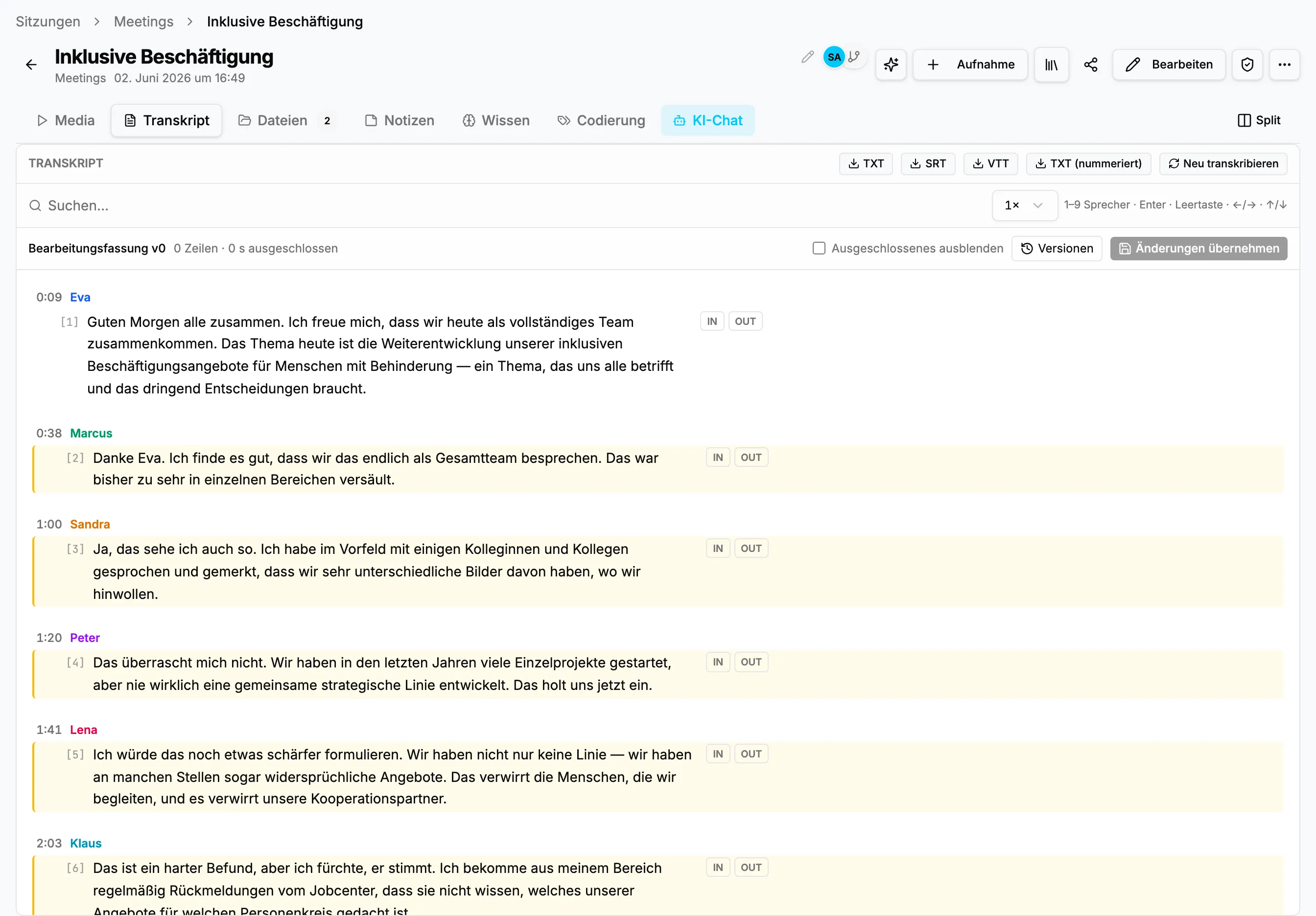
Correct the text
Section titled “Correct the text”- Open Sessions, select a session, and switch to Transcript.
- Click an utterance and correct spelling, punctuation, or wording in place.
- Check the passage against the player. Selecting an utterance jumps to its time position.
- Continue with other corrections. They remain a draft until you publish them.
- Select Apply changes to save all open text, speaker, and cut changes as one revision.
StoryVault does not modify the audio file. It stores an edited transcript next to the source. Search, exports, and downstream analysis use the active version.
Correct speakers
Section titled “Correct speakers”Automatically detected speakers are shown with colors and a number or assigned name. Select a speaker label to choose another person or add a new name. Use roles such as Team lead, Professional 1, or Interview participant when real names are unnecessary or not permitted. Consistent labels improve quote reports and qualitative coding.
Cut passages with IN and OUT
Section titled “Cut passages with IN and OUT”IN starts an excluded range and OUT ends it. This removes pauses, technical checks, or unapproved sections from the edited version without deleting the source.
- A cut can span several utterances.
- Hide excluded displays only the remaining version.
- You can still play the original recording for verification.
- The cut selection belongs to the revision and can be restored separately.
Drafts, saving, and reset
Section titled “Drafts, saving, and reset”The editor shows changed lines and the duration of excluded passages. Apply changes saves a consistent revision for the team. Resetting discards the current unsaved draft and returns to the last saved state. It does not remove saved revisions or previous re-transcriptions. To make an older transcript the working basis, restore it explicitly in Transcript versions.
Recommended review sequence
Section titled “Recommended review sequence”- Listen to disputed passages at normal or reduced speed.
- Correct speakers first, text second, and cuts last.
- Search for names, specialist terms, and recurring recognition errors.
- Save one coherent work step as a revision.
- Open Versions and inspect the text, speaker, and cut summary.
- For coded sessions, confirm that existing segments still point to the right passage.
| Area | Effect of editing |
|---|---|
| Search and AI chat | Use the active transcript. |
| TXT, SRT, and VTT | Are generated from the active version. |
| Coding | Existing segments remain; moved passages may require review. |
| Version history | Every saved work step remains comparable and restorable. |
| Original recording | Remains unchanged. |
If most of the transcript or speaker separation is unusable, use Re-transcribe instead of correcting dozens of passages manually.