Creating Quiz Questions
After each lesson, you can set up a knowledge check. Two approaches are available: create questions manually or have them generated by AI.
Generate Questions with AI
Section titled “Generate Questions with AI”The fastest way to a complete knowledge check:
-
Open the lesson in the editor
Navigate to the desired lesson and scroll to the quiz section.
-
Click “Generate Questions”
The AI analyzes the lesson text and the assigned transcript. From this, it creates 3 to 5 appropriate questions in various types.

-
Review generated questions
The AI provides a good starting point, but you know your content better. Check each question for accuracy and relevance.
-
Adjust
Click “Edit” and adjust the question text, answer options, or the correct answer.
Creating Questions Manually
Section titled “Creating Questions Manually”-
Create a new question
Click “New Question” in the quiz section of the lesson.
-
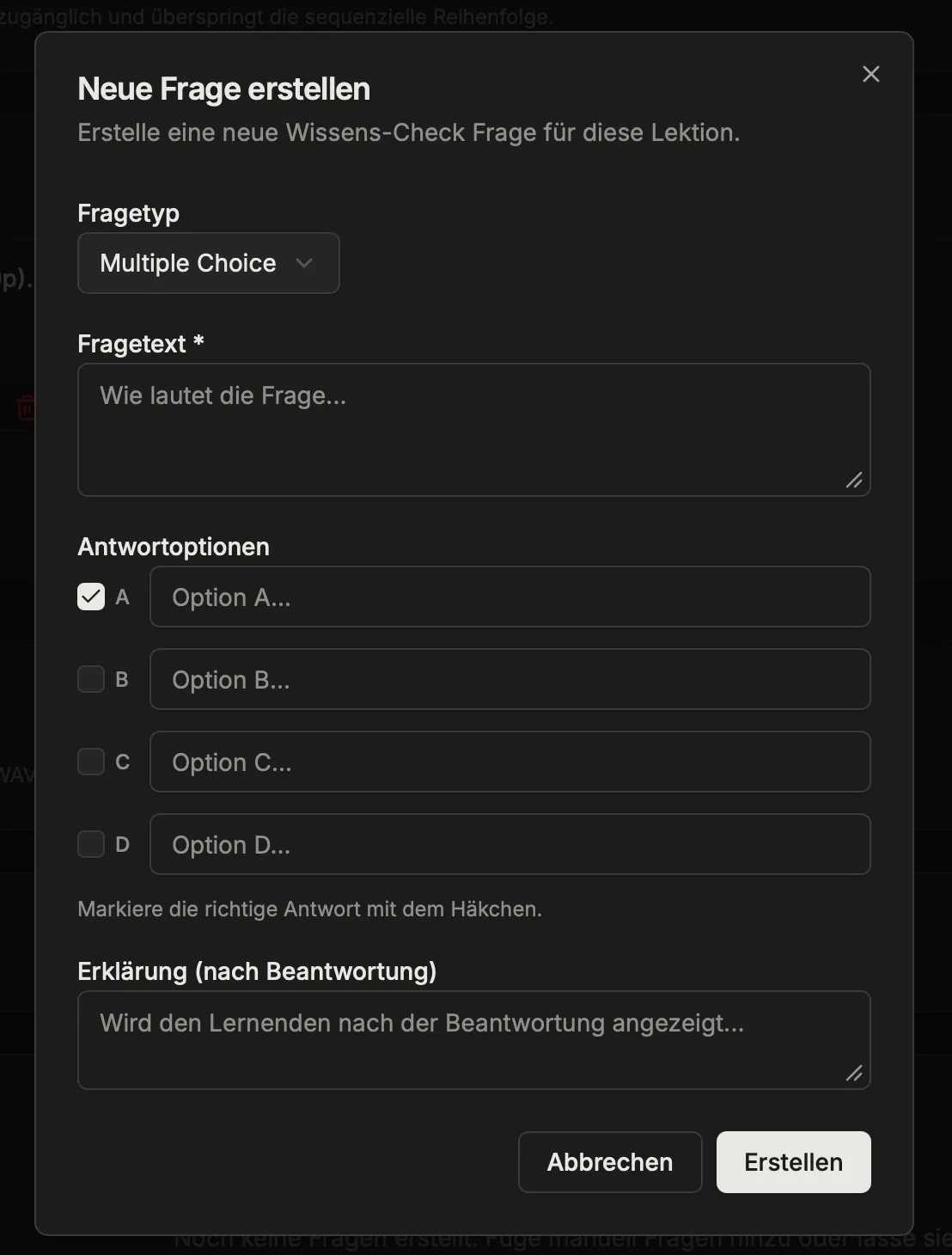
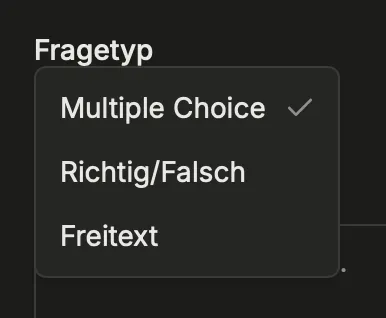
Choose a question type
Three types are available:
Type Description When to use Multiple Choice One or more correct answers from given options Factual knowledge, definitions, procedure steps True / False A statement evaluated as true or false Checking common misconceptions, clear facts Free Text Open answer in own words, AI-evaluated Checking understanding, explaining relationships -
Fill in the question
Enter the question text. For multiple choice: enter answer options and mark the correct one(s). For free text: enter keywords or key points that the AI uses to evaluate the answer.
-
Save
The question is added to the lesson.
Managing Questions
Section titled “Managing Questions”Change Order
Section titled “Change Order”Sort questions by drag-and-drop into the desired order. The order determines the sequence in which learners see the questions.
Edit Questions
Section titled “Edit Questions”Click on an existing question to change the question text, answers, or type.
Delete Questions
Section titled “Delete Questions”Questions that are no longer relevant can be removed via the question’s menu.
Tips for Good Questions
Section titled “Tips for Good Questions”- Phrase them practically: Instead of “What is hand hygiene?” better ask “In which situations is hand disinfection required before patient contact?”
- Mix different types: A combination of multiple choice, true/false, and free text keeps the knowledge check varied.
- Use free text for understanding: Use free-text questions when you want to check whether relationships are understood — not just facts.
- Not too many questions: 3 to 5 questions per lesson are generally sufficient.
Further Reading
Section titled “Further Reading”This page corresponds to the onboarding video “Module 6, Lesson 6.3 — Creating Quiz Questions and AI Generation”.