Coding reports and analysis
Coding Reports aggregate accepted coding in a project. Select the material, look for patterns in several views, and return to the original quotes before drawing conclusions.
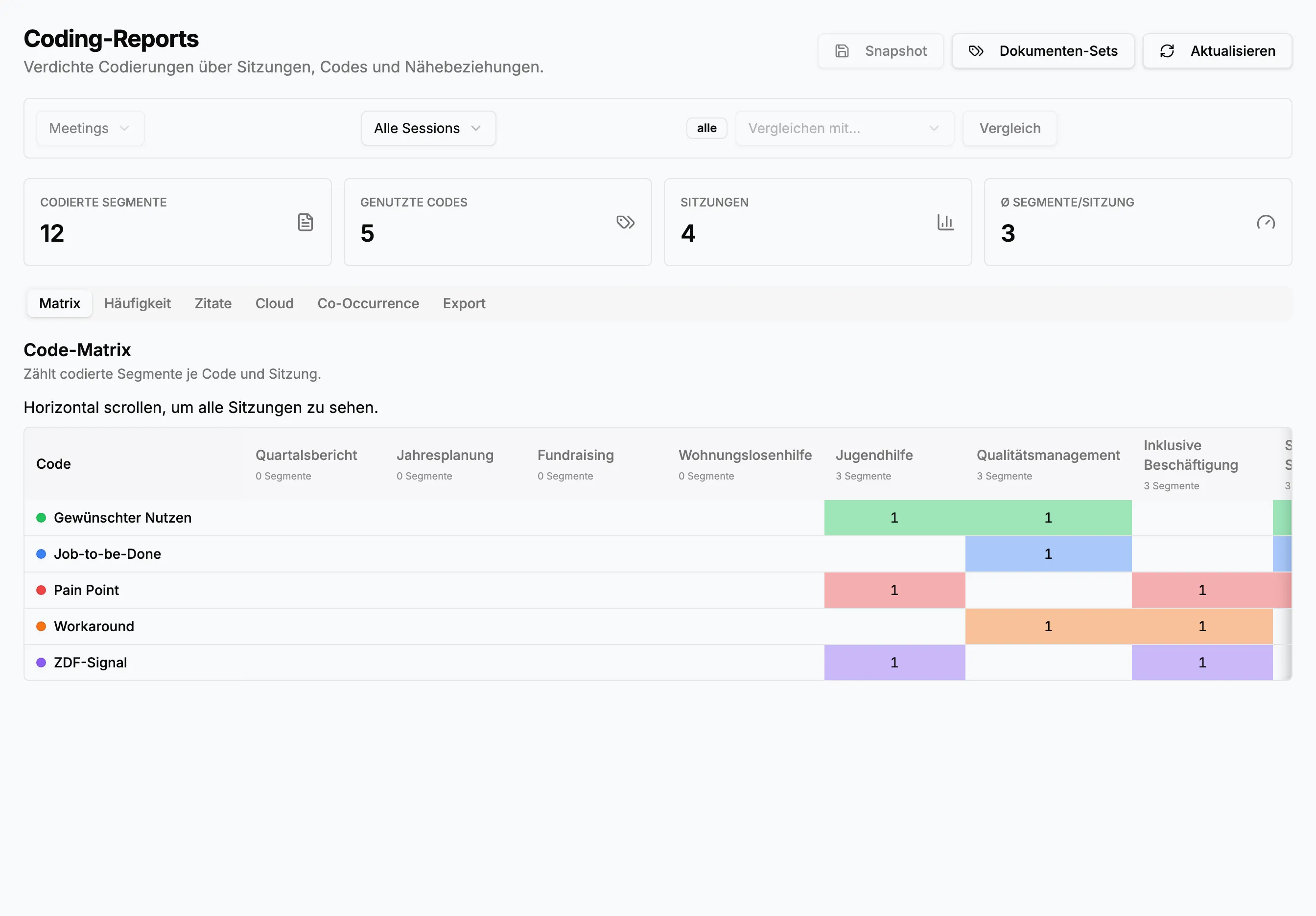
Select the corpus
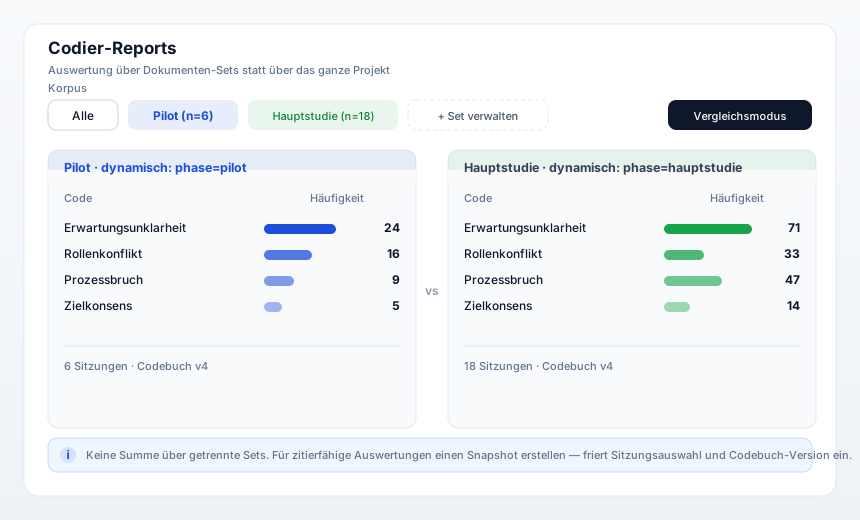
Section titled “Select the corpus”The default report includes All sessions. Use document sets for a defined subset:
- A static set is a fixed list of sessions, suitable for a completed study.
- A dynamic set follows a session-tag rule such as
phase=main-studyand automatically includes new matching sessions.
Comparison mode calculates two sets separately so you can contrast sites, periods, or participant groups.
Read the summary
Section titled “Read the summary”Cards show coded segments, used codes, included sessions, and average segments per session. Use them as a plausibility check. If a session is missing or counts drop unexpectedly, inspect filters and coding completion first.
Report views
Section titled “Report views”- Matrix crosses codes and sessions. Use colored cells to find gaps, concentrations, and contrasts, then verify them in the quotes.
- Frequency sorts codes by segment count. Consider session length, corpus size, and code granularity.
- Quotes groups original passages by code or session. Review speaker and context and include representative as well as divergent cases.
- Cloud visualizes relative frequency for orientation or presentation. It is not a sufficient analysis on its own.
- Co-occurrence shows codes that occur in the same or nearby passages. It suggests relationships but proves neither cause nor direction.
- Export combines selected sections such as codebook, quotes, memos, matrix, frequency, and co-occurrence in XLSX, DOCX, or PDF. Group by code for thematic results or by session for case portraits.
Snapshots and reproducibility
Section titled “Snapshots and reproducibility”A dynamic set can grow and a codebook can change. Snapshot freezes the
session selection and codebook state. Name it after purpose and date, for
example Interim report – 2026-10-04. Use snapshots for approvals, final
reports, and comparisons that must be reproducible later.
- Select project and document set and verify the session count.
- Check the matrix for missing or unusually dense sessions.
- Use frequency to locate themes, then read the quotes and counterexamples.
- Treat co-occurrence as a hypothesis and verify it in context.
- Add memos and return to coding where necessary.
- Create a snapshot for the approved state.
- Export only the sections and personal data required for the purpose.
Exports leave StoryVault’s role-based environment. Confirm pseudonymization, purpose, and recipients before sharing them.